Optimizely Web Companion: Browser extension for experiment access
Optimizely Web Companion, from Optimizely, is a Chrome extension that helps experiment builders reach the Visual Editor directly from the browser. It offers an in-browser interface to pick tests and start editing sessions without navigating away to a separate application. The extension aims to shorten the path between browsing and experimentation for digital marketers, product managers, and developers who run A/B tests and site experiments.
What the companion does for experiment workflows
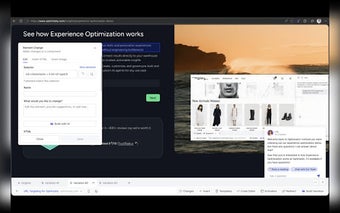
The companion acts as a browser-side bridge between pages and Optimizely’s editing surface. Inside the extension you can select a project, page, and variation before launching an editing session, which lets teams avoid manual URL tweaks. Selection controls inside the tool surface permit targeted launches that integrate with existing Optimizely experiment structures, making it a purpose-built entry point for people who build and QA experiments.
How it copes with sites that block URL-based launches
The extension is designed to handle pages that strip query strings or hash fragments by providing a different launch mechanism than a simple URL. That behavior removes a common technical blocker that prevents the editor from opening when a site removes needed parameters, and it reduces the need to reproduce complex page states manually in the dashboard before editing.
Which identity and permission model the extension uses
The companion uses Opti ID for authentication and relies on your existing Optimizely login, so it only shows accounts, projects, and experiments you already have permission to access. The add-on does not create or escalate access; it simply lists the resources available to your account in real time, which preserves the same permission boundaries you have within Optimizely.
Platform fit and who benefits most from installing it
This release is limited to Chrome, with plans for additional Chromium-based browsers and other platforms later. That narrow platform scope makes the tool most useful for teams standardized on Chrome or for individual experiment builders who need a browser-native launch path. Product teams that rely on multiple browsers may need to wait for broader support before adopting it across the organization.
A focused, practical extension for experiment builders who use Chrome
The companion is a narrowly targeted utility that addresses a specific operational gap in launching Optimizely editing sessions, so it makes sense for experiment builders and QA specialists who work primarily in Chrome. Its single-purpose design keeps the workflow tight, but teams that require multi-browser coverage should note the current platform limit before standardizing on it.